
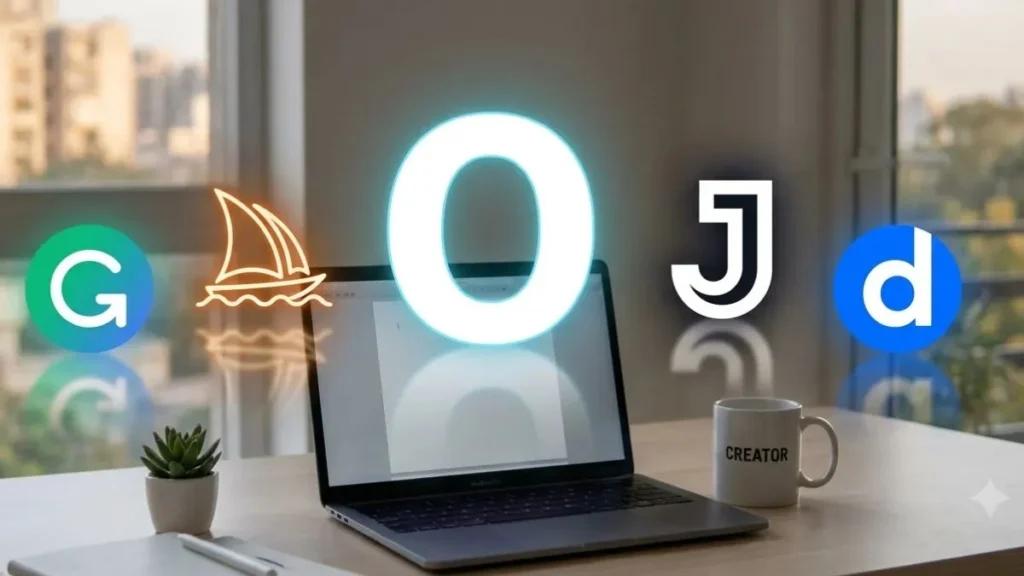
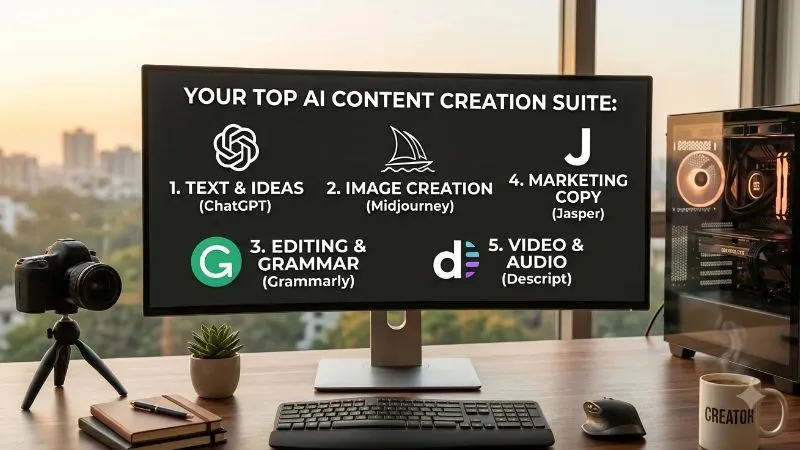
Direct Answer: The top 5 AI tools for content creation are ChatGPT (text generation and brainstorming), Midjourney (AI image creation), Grammarly (grammar and readability editing), Jasper AI (marketing copy and SEO writing), and Descript (text-based video and audio editing). These tools save creators hours of manual work, lower production costs, and improve content quality.
Why You Need AI Content Creation Tools Today
Content creation takes a lot of time. Creators spend hours researching ideas, writing drafts, creating graphics, and editing videos.
AI tools change the game. They act as your smart assistants. They handle repetitive tasks so you can focus on big ideas.
Using AI does not mean replacing your creativity. Instead, it means working faster and smarter. Here is a quick breakdown of the top tools to help you choose the right one.
Quick Comparison Table
| AI Tool | Main Purpose | Best Feature | Target User |
|---|---|---|---|
| ChatGPT | Text writing & ideas | Natural conversational responses | Bloggers, Writers, Marketers |
| Midjourney | Image generation | High-quality visual outputs | Designers, Bloggers, Marketers |
| Grammarly | Grammar & tone editing | Real-time sentence correction | Everyone who writes |
| Jasper AI | Marketing & SEO copy | Conversion-focused templates | Business Owners, Agencies |
| Descript | Video & audio editing | Text-based media editing | YouTubers, Podcasters |
1. ChatGPT – Best for Ideas, Writing, and Brainstorming
ChatGPT by OpenAI is one of the most versatile tools available today. It acts like a smart human assistant that responds to simple text instructions.
       +-------------------------------------------------------+
       |                     ChatGPT Uses                      |
       +-------------------------------------------------------+
                                   |
         +-------------------------+-------------------------+
         |                         |                         |
  Brainstorming             Outline Creation             Draft Writing
(New Blog Ideas)           (Structured Posts)          (Emails & Articles)
What It Does
ChatGPT generates human-like text in seconds. You can ask it to write blog outlines, draft social media captions, answer questions, or rewrite existing sentences.
Key Features
- Fast Response Time: Generates long texts in seconds.
- Versatile Tone: Adjusts writing style from formal to casual.
- Brainstorming Partner: Gives dozens of topic ideas instantly.
Pros & Cons
- Pros: Easy to use, free plan available, versatile.
- Cons: Sometimes gives outdated information or needs fact-checking.
How to Use It Simply
Write clear instructions called “prompts.”
Example Prompt:
“Write a 5-step outline for a blog post about fitness tips for beginners. Keep the tone friendly and encouraging.”
2. Midjourney – Best for Creating Unique Images
Visual content drives clicks and user engagement. Midjourney creates stunning images from simple text descriptions.
What It Does
Midjourney takes your text prompts and converts them into photorealistic images, digital paintings, illustrations, or vector art. You do not need graphic design skills to use it.
Key Features
- High Image Resolution: Delivers clear, sharp visuals.
- Custom Artwork Styles: Creates visuals in watercolor, 3D render, photorealistic, or sketch styles.
- No Stock Photos Needed: Generates 100% original visuals for your brand.
Pros & Cons
- Pros: Unmatched image quality, highly creative options.
- Cons: Runs through Discord, which requires a slight learning curve.
How to Use It Simply
Keep your prompt detailed yet straightforward. Describe what you want to see, including lighting and style.
Example Prompt:
“A modern desk setup with a laptop, coffee cup, and indoor plant, soft morning lighting, clean photograph style.”
3. Grammarly – Best for Fixing Mistakes and Editing
Publishing content with spelling or grammar mistakes hurts your credibility. Grammarly checks your text in real time and offers simple fixes.
What It Does
Grammarly scans your text as you type. It highlights spelling errors, grammar mistakes, and poor sentence structures, suggesting clear improvements instantly.
Key Features
- Real-time Corrections: Flags errors as you write in your browser or document app.
- Tone Detection: Shows if your writing sounds professional, confident, or friendly.
- Clarity Suggestions: Shortens wordy sentences into clear statements.
Pros & Cons
- Pros: Works seamlessly across websites and apps, highly accurate.
- Cons: Premium features require a paid subscription.
How to Use It Simply
Install the Grammarly browser extension. Whenever you write an email, blog post, or social media caption, click on the highlighted words to apply instant fixes.
4. Jasper AI – Best for Marketing and SEO Writing
While ChatGPT handles general writing, Jasper AI focuses specifically on business marketing and search engine optimization (SEO).
 +-------------------------------------------------------------------+
 |                             Jasper AI                             |
 +-------------------------------------------------------------------+
                                   |
         +-------------------------+-------------------------+
         |                         |                         |
    Brand Voice              SEO Templates            Ad Copywriting
(Matches Tone)            (Ranks on Google)        (Drives Conversions)
What It Does
Jasper helps marketers write high-converting ad copy, landing page headlines, sales emails, and long-form blog articles optimized for Google rankings.
Key Features
- Built-in Templates: Includes 50+ templates for ads, emails, and blogs.
- Brand Voice Feature: Learns your company tone so every output matches your style.
- SEO Optimization: Integrates with SEO tools to help your posts rank high on Google.
Pros & Cons
- Pros: Tailored for marketing teams, speeds up campaign production.
- Cons: Higher price point compared to standard tools.
How to Use It Simply
Select a template (for example, “Facebook Ad Headline”). Enter basic information about your product, click generate, and choose the best variation.
5. Descript – Best for Video and Audio Editing
Video and audio content dominate modern social media. However, traditional video editing takes a lot of time. Descript solves this by making media editing as simple as editing text.
What It Does
Descript transcribes your audio or video file into written text. When you delete a word in the text transcript, Descript automatically cuts that exact word out of the audio or video file.
Key Features
- Text-Based Video Editing: Cut video clips by simply deleting text.
- Filler Word Removal: Removes “ums,” “ahs,” and awkward pauses with one click.
- Studio Sound: Cleans up background noise and improves voice audio quality instantly.
Pros & Cons
- Pros: Saves hours of manual video trimming, extremely user-friendly.
- Cons: Requires a stable internet connection for fast transcription processing.
How to Use It Simply
Upload your recorded video or podcast. Review the generated transcript, click “Remove Filler Words,” and export your clean video file.
How to Choose the Right AI Tool for Your Needs
Not every creator needs every single tool. Use this simple matching guide to pick what fits your daily workflow best:
- If you are a Blogger: Combine ChatGPT (for topic research) and Grammarly (for polish).
- If you are a Social Media Manager: Use Jasper AI (for fast copy) and Midjourney (for visual graphics).
- If you are a YouTuber or Podcaster: Use Descript (for video cuts) and ChatGPT (for script titles and descriptions).
Best Practices: How to Combine AI with Human Creativity
AI tools generate content fast, but human input makes content great. Follow these simple tips to ensure high-quality output:
- Always Fact-Check: AI can make mistakes. Verify names, numbers, dates, and facts before publishing.
- Add Personal Stories: Readers connect with real human experiences. Share personal lessons that AI cannot replicate.
- Edit for Brand Voice: Read the text out loud. Make sure it sounds natural and aligns with your personal style.
- Keep Sentences Short: Keep your paragraphs clear and easy to skim.
Frequently Asked Questions (FAQs)
What is the best free AI content creation tool?
ChatGPT offers a generous free version that covers text writing, idea generation, and basic editing, making it the best free option for creators.
Will AI content rank on search engines like Google?
Yes. Search engines focus on content quality, helpfulness, and accuracy rather than whether a human or AI wrote it. However, you should always edit AI content to add human value and original insights.
Do AI tools replace human creators?
No. AI tools work as assistants that handle tedious tasks. Human creators are still needed for strategy, creative vision, fact-checking, and emotional connection.
Conclusion
AI tools make content creation faster, easier, and more accessible. Whether you need help writing articles, designing graphics, or editing videos, these top 5 tools—ChatGPT, Midjourney, Grammarly, Jasper AI, and Descript—will elevate your content output.
Start by trying one tool today, build it into your routine, and watch your productivity grow!
